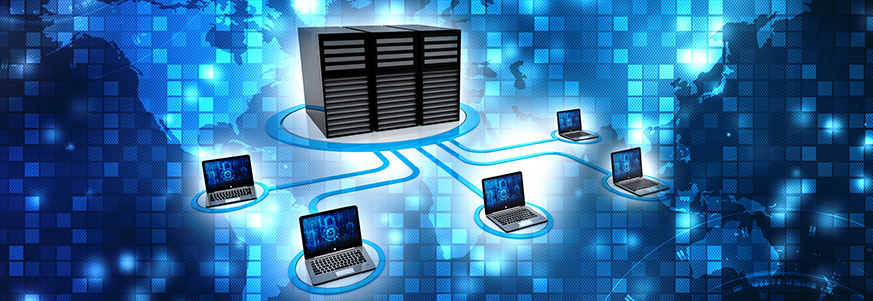
What Is Networking?
Networking refers to the process of linking computers, servers, and digital devices to share data, resources, and services. Whether it’s a home Wi-Fi setup or a global corporate system, networking allows devices to communicate efficiently. It supports everything from accessing the internet to managing cloud-based applications.
How Networking Works
1. Data Transmission
Networks break information into small packets. These packets travel across cables, wireless signals, and routers until they reach their destination. Once received, the packets reassemble to restore the original data.
2. Components of a Network
Essential elements that make communication possible include:
- Routers for directing data
- Switches for connecting multiple devices
- Access points for wireless connections
- Servers for storing and managing information
- Cables like Ethernet for stable wired links
3. Network Protocols
Protocols serve as rules that guide data exchange. Common ones include:
- TCP/IP for packet delivery
- HTTP/HTTPS for web access
- FTP for file sharing
- SMTP for emails
These ensure networks operate securely and consistently.
Types of Networks
Local Area Network (LAN)
Used in homes, schools, and offices. LANs offer high-speed connections in a limited geographical area.
Wide Area Network (WAN)
Covers large regions such as cities or countries. The internet itself is the largest WAN.
Metropolitan Area Network (MAN)
Operates across a city or large campus, linking multiple LANs efficiently.
Personal Area Network (PAN)
Includes small, close-range connections like Bluetooth devices and mobile hotspots.
Wireless Networks
Depend on radio waves instead of cables. Common in homes, public spaces, and businesses.
Importance of Networking in Modern Life
Faster Communication
Networking makes instant messaging, video conferencing, and collaboration tools possible.
Resource Sharing
Devices can share printers, storage systems, and internet access, reducing costs and increasing convenience.
Centralized Data Management
Servers help organizations control data securely, improve backups, and streamline operations.
Scalability
Businesses can easily expand networks to support new users and devices.
Remote Access
Employees can work from anywhere using VPNs and cloud services, thanks to reliable networking setups.
Common Networking Challenges
Security Threats
Networks face risks like hacking, malware, and unauthorized access.
Bandwidth Limitations
Too many connected devices can slow network performance.
Configuration Errors
Improper network settings may cause disconnection, slow speed, or vulnerability.
Hardware Failures
Faulty routers, switches, or cables can disrupt entire systems.
Future Trends in Networking
The world of networking is evolving rapidly with advancements such as:
- 5G and upcoming 6G technologies
- AI-powered network management
- Software-Defined Networking (SDN)
- Edge computing for faster processing
- Stronger cybersecurity frameworks
These developments promise faster, smarter, and more secure networks.
FAQs
1. What’s the difference between a router and a switch?
A router directs data between networks, while a switch connects devices within the same network.
2. How can I improve my home network speed?
Upgrading your router, using wired connections, and reducing interference can help.
3. Is a wired connection better than Wi-Fi?
Yes, wired connections are usually faster and more stable.
4. What is network latency?
Latency is the time it takes for data to travel from one point to another.
5. How does a VPN support networking?
A VPN encrypts your connection and allows secure remote access.
6. What is network redundancy?
It involves backup systems to keep networks running if one part fails.
7. Why do businesses use firewalls?
Firewalls protect networks from unauthorized access and cyber threats.